Consumer Alert
Booking holiday travel? Hidden fees can cost you





The .gov means it’s official.
Federal government websites often end in .gov or .mil. Before sharing sensitive information, make sure you’re on a federal government site.

The site is secure.
The https:// ensures that you are connecting to the official website and that any information you provide is encrypted and transmitted securely.
Planning a trip? Need to book a flight, hotel, or something else for travel? Know that some companies tack on extra charges they make hard for you to see or bury in the fine print — hoping you won’t notice until it’s too late. Here’s how it happens.
Let’s say you’re searching for a flight online or through a travel app. You find one that fits your budget, click through to book it, and feel good about the price — until you check your receipt or bank statement and realize you’ve paid more than expected. Sound familiar?
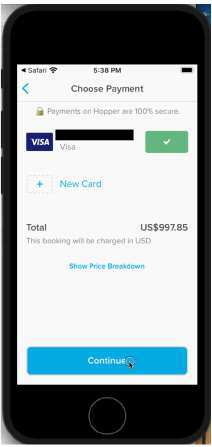
That’s what the FTC alleged in its case against the travel apps operated by Hopper, Inc. According to the FTC’s complaint, when Hopper users were ready to confirm their booking, they saw a screen with the “total” price listed and a prominent “continue” button — suggesting that was the full price the consumer would pay for their booking.
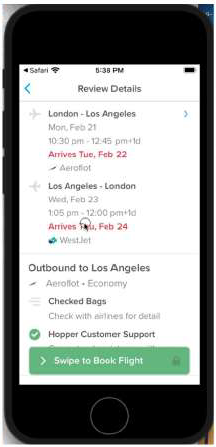
On the next screen, users received additional details about their itinerary above a prominent “Swipe to Book Flight” button.
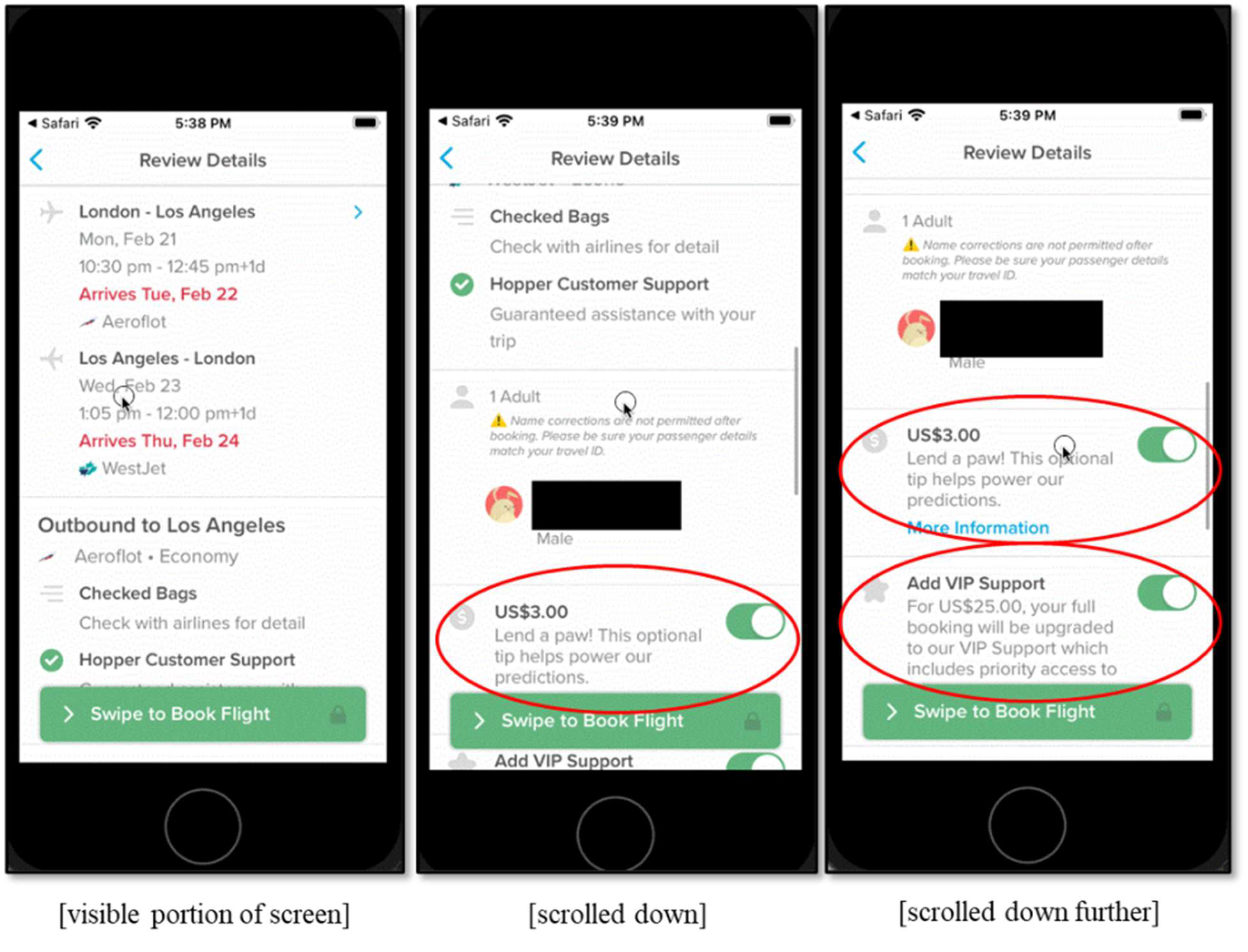
But there was a catch. Hopper had pre-selected add-on charges — a “Tip” and an additional charge for “VIP Support” — that were automatically added to the total. Only customers who ignored the “Swipe to Book Flight” button and scrolled down on the screen could see these additional pre-selected charges. And most consumers never did.
Hidden fees like this can trick you into paying more for travel. Dishonest companies are betting that you’re too rushed, too distracted, or won’t look closely enough.
Here are some tips to help you spot and avoid hidden fees if you’re booking travel, making reservations, or purchasing anything online: